
This post may contain affiliate links. If you use these links to buy something we may earn a commission at no extra cost to you. Thank you for your support!
A client says yes to your proposal at 10:30 p.m. Do they receive a contract, pay their deposit, book their kickoff call, and get a welcome email without you opening five tabs tomorrow morning? That is the real business question behind a Dubsado vs HoneyBook review.
Both platforms help freelancers replace scattered documents, payment reminders, calendar links, and inbox follow-ups with one client management system. But they approach the job differently. HoneyBook tends to feel more guided and immediately polished. Dubsado gives you more room to build operations around the way you actually deliver your service.
For a side-hustling virtual assistant, a wedding photographer with a packed inquiry calendar, or a growing copywriting studio, that difference affects your time, client experience, and ability to earn more without becoming the admin department.
Dubsado vs HoneyBook review: the short answer
Choose HoneyBook if you want a clean, beginner-friendly clientflow tool that gets you from lead to payment quickly. It is a strong match for service providers who value a modern interface, want to send professional files without much setup, and prefer a system that tells them what to do next.
Choose Dubsado if you want deeper customization and can spend time setting up workflows, forms, proposals, and automations thoughtfully. It is especially appealing when your services have multiple stages, different client types, detailed onboarding requirements, or a team that needs repeatable processes.
Neither tool is automatically better. A freelance social media manager offering one straightforward monthly package may find HoneyBook refreshingly simple. A funnel builder who sells strategy sessions, implementation projects, VIP days, and ongoing optimization may outgrow a simpler setup fast and appreciate Dubsado’s flexibility.
What both platforms can handle
Dubsado and HoneyBook sit in the CRM and client management category, not just the invoicing category. You can use either one to capture leads, send forms, create proposals, collect signatures, take payments, schedule appointments, and keep client communication organized.
Any useful Dubsado vs HoneyBook review has to start here, because the two tools overlap far more than they differ. The real decision is about how you want to work, not which one has a feature the other lacks.
That matters because every extra handoff creates a chance for a warm lead to go cold. When someone has to hunt for your contract, ask where to pay, or wait two days for a reply after booking, your business can look less established than it really is.
Both tools can help you create a more professional experience even if you are working from your bedroom, a co-working space, or a cafe between client calls. The best choice comes down to how much control you need and how quickly you want to get operational.
HoneyBook: better for fast setup and guided clientflows
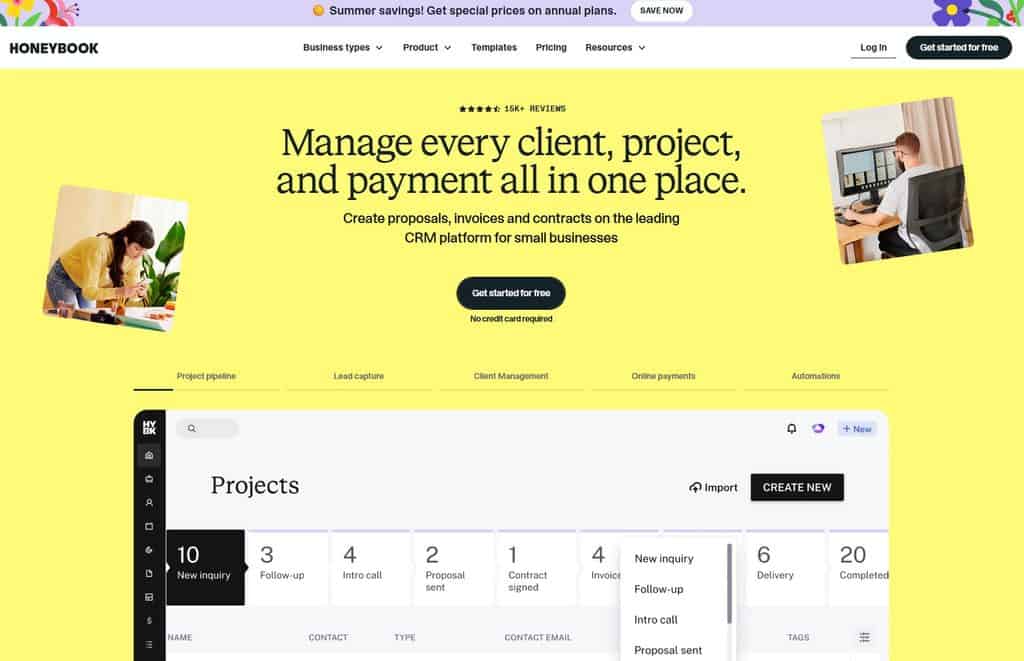
HoneyBook is often the easier platform to understand on day one. The dashboard is visually clear, and its project-based layout makes it easier to see where each lead or client stands. If software setup is not your favorite task, that lower learning curve is a genuine advantage, lah.
Where HoneyBook shines
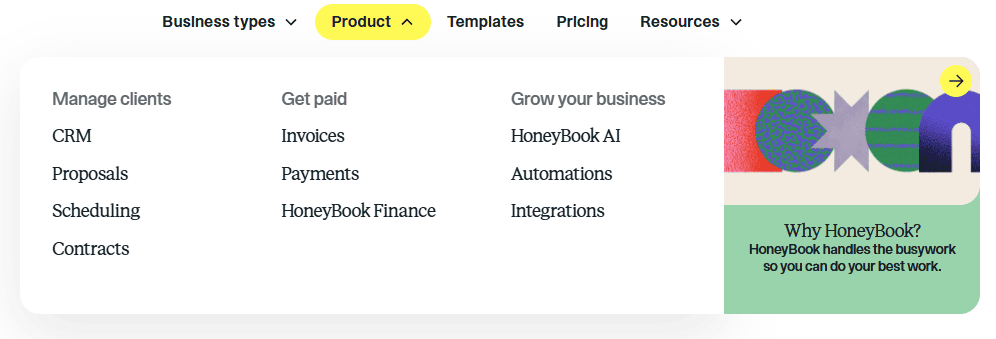
HoneyBook works well for freelancers who want to create a consistent process without designing every tiny detail. You can build files that combine proposals, contracts, invoices, and payments into a single client-facing experience. For many creative and consulting businesses, this removes a lot of back-and-forth.
Its workflow automation can also support common actions: send a welcome guide after payment, remind a lead to complete an intake form, or prompt a client before a scheduled meeting. You still need to map your process first, but the platform makes the finished experience feel approachable.
The client-facing design is another plus. If brand perception is a major part of how you sell, a polished booking and payment process supports the premium rates you want to charge. Clients are not only buying deliverables. They are buying confidence that you have your act together.
Where HoneyBook may feel limiting
HoneyBook can be less ideal when your delivery process is unusually detailed. Perhaps you offer custom SEO audits, then sell implementation, then hand clients to a monthly retainer team. Or perhaps every project requires a different set of approvals, questionnaires, milestones, and internal tasks.
You can build sophisticated systems in HoneyBook, but freelancers with very particular processes may eventually want more control over how forms, workflows, and project stages behave. It is also worth checking payment availability, supported countries, and the integrations you rely on before making it your operational home. Features and regional eligibility can change.
Dubsado: better for customization and complex workflows
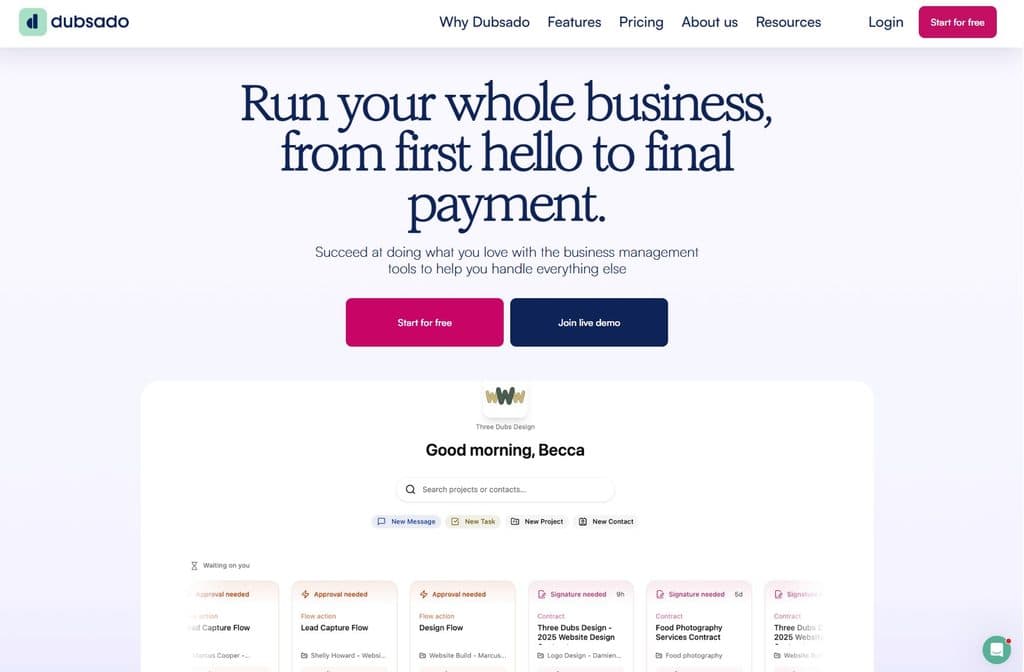
Dubsado is built for business owners who want to shape the software around their process instead of adapting their process to the software. That can sound intimidating, but it is powerful once you have clarity on your client journey.
Where Dubsado shines
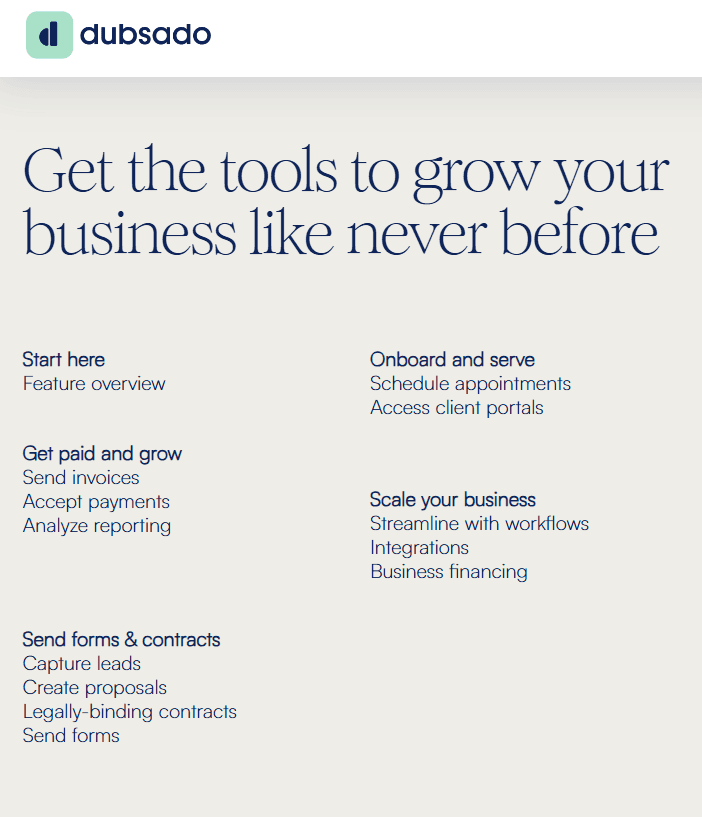
Dubsado is known for flexible forms, customizable workflows, and deeper automation options. You can create different pathways for different service offers, trigger emails based on client actions, use conditional logic in forms, and set up detailed sequences that reduce manual follow-up.
Imagine you are a web designer. A new inquiry needs a discovery questionnaire. A qualified lead needs a proposal. Once they sign and pay, they need a kickoff scheduler, brand questionnaire, asset request, and project timeline. Near launch, they need training, final payment, and handover documents.
Dubsado can help you turn that sequence into a repeatable machine. You are still responsible for delivering excellent work, of course. But you no longer need to remember every administrative step from memory.
This level of customization is particularly useful for agencies and freelancers managing several offers. Once you learn how to package freelance services, you might have one workflow for email sequences, another for sales pages, and a third for monthly retainers. Each offer can feel personal to the client while remaining efficient behind the scenes.
Where Dubsado may feel harder
The trade-off is setup time. Dubsado gives you more switches to flip, which means you need a plan before you start flipping them. Without one, it is easy to create duplicate forms, confusing automations, or workflows that make sense only to you.
It can also feel less immediately intuitive than HoneyBook for people who simply need to send a contract and invoice this week. That does not make Dubsado a bad beginner choice. It means it is best for beginners willing to invest a few focused sessions into building a system they can use for years.
Pricing: compare the cost of time, not just the plan
Plan names, promotions, included features, and payment processing fees change, so check each company’s current pricing before you decide. The more useful question is whether the platform helps you save enough time or close enough extra business to justify its monthly cost.
If HoneyBook helps you start using a CRM immediately, its value may be speed. If Dubsado lets you automate ten recurring steps in every project, its value may be scale. If recurring client work is part of your business model, knowing how to price retainer services alongside your software costs also helps you see whether your systems are actually protecting your margins. A lower subscription price is not a bargain if you still spend Sunday evenings chasing signatures and building invoices manually.
Also consider the cost of changing systems later. Moving contacts is manageable. Rebuilding templates, workflows, questionnaires, pipelines, and client records takes real time. Choose for the business you expect to run in the next 12 to 24 months, not only the one you have this month.
How to choose between Dubsado and HoneyBook
Before you sign up, write your client journey from first inquiry through final delivery. This step matters more than any Dubsado vs HoneyBook review you will read, because the right tool is the one that mirrors the process you actually run. Keep it practical: where leads come from, what information you need to qualify them, when you send a proposal, how payment works, and what happens after onboarding.
A simple way to map this before you commit to any CRM is to sketch the whole journey in Notion. Laying out each stage, form, and touchpoint in one place makes it far easier to see which platform actually fits your process and speeds up your setup once you choose.
Then ask yourself two questions. Do I need a tool that helps me begin with less setup, or do I need a tool that can mirror a more complex process? HoneyBook is usually the safer pick for the first answer. Dubsado is usually stronger for the second.
Your work style matters too. If you like templates, clear defaults, and keeping things simple, HoneyBook may help you take action faster. If you enjoy optimizing systems and want every offer to have a tailored workflow, Dubsado can become a serious operational asset.
| Features | HoneyBook | Dubsado |
|---|---|---|
| Best for | Fast setup and guided clientflows | Deep customization and complex workflows |
| Ease of setup | Easier on day one; lower learning curve | Steeper; needs a plan and a few focused setup sessions |
| Interface | Clean, visual, project-based dashboard | Flexible but less immediately intuitive |
| Customization | Solid, with guided defaults | Extensive — conditional logic, tailored workflows per offer |
| Automation | Supports common actions (welcome guides, reminders, prompts) | Deeper, multi-stage automations triggered by client actions |
| Client-facing experience | Polished, branded, immediately professional | Fully customizable to your exact process |
| Ideal user | Service providers wanting a simple, ready-to-use system | Freelancers/agencies with multiple offers or detailed onboarding |
| Core CRM tools (both) | Leads, forms, proposals, contracts, e-signatures, payments, scheduling | Same — both are full client-management platforms |
| Main trade-off | Less control for very detailed or unusual processes | More setup time before you’re operational |
A smart first-month rollout
Do not try to automate your entire business on day one. Start with one core offer, such as your monthly social media management package or your brand design project. Build the essentials: inquiry form, proposal, contract, invoice, payment reminder, welcome email, and kickoff scheduler.
Whichever CRM you choose, your proposals and welcome materials still need to look the part. Designing branded templates in Canva Pro once for cover pages, welcome guides, service overviews means you can drop polished, on-brand assets into either platform and raise your perceived value from the first click.
Run a real client through that flow, then improve what feels clunky. Once it works, duplicate the foundation for your other services. This approach gives you a professional client experience now while keeping you from spending weeks color-coding a system that has never served a paying client.
The right CRM is not the one with the longest feature list. It is the one that gives you more time to sell, serve clients well, and build a business that supports your dream income. Pick the platform you will actually set up, use consistently, and improve as your freelance business grows.