

This post may contain affiliate links. If you use these links to buy something we may earn a commission at no extra cost to you. Thank you for your support!
A client asks for 20 Instagram graphics, a lead magnet PDF, and a polished presentation by Friday. You can spend the week wrestling with three different design tools, or you can build a repeatable production system in one place. That is the real question behind this Canva Pro freelancer review: does the paid plan help you deliver better work faster, without eating into your profit?
For many freelancers, Canva Pro is less about becoming a designer overnight and more about becoming easier to hire. It gives social media managers, virtual assistants, marketers, coaches, and newer designers a practical way to create on-brand client assets at speed. But it is not a replacement for every professional design tool, and the subscription only makes sense when it supports a service you can sell.
Canva Pro freelancer review: the short answer
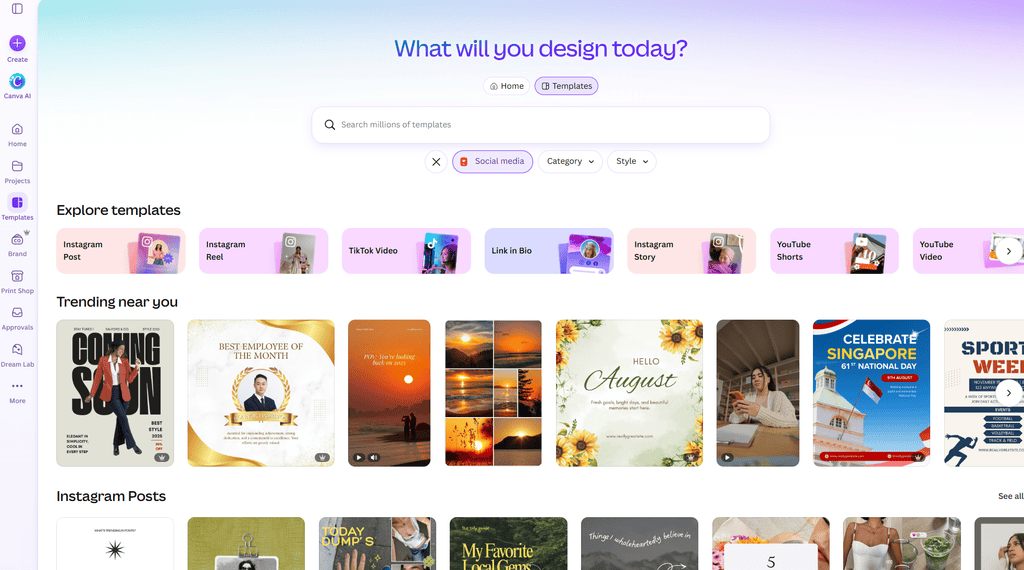
Canva Pro is worth considering if you create recurring visual content for clients. The biggest wins are the Brand Kit, premium asset library, Magic Resize, background removal, content planning features, and the ability to organize projects without a messy folder maze.
It is especially strong for freelancers who sell social media management, presentation design, lead magnet design, simple ad creative, real estate graphics, basic video reels, or virtual assistant support with a marketing component. You do not need advanced design software to produce clean, effective work for these offers.
The trade-off is control. If your work requires detailed photo retouching, sophisticated vector illustration, complex print production, or a highly custom brand identity, Canva can feel limiting. In those cases, it works best as a fast supporting tool alongside Adobe Illustrator, Photoshop, Figma, or a specialist program.
| Best for | Why Canva Pro helps | Watch out for |
| Social media managers | Fast templates, resize tools, content batches | Templates can look generic without customization |
| Virtual assistants | Client presentations, documents, simple graphics | You still need a clear design process |
| Digital marketers | Ad creative, lead magnets, pitch decks | Not ideal for advanced landing page design |
| Canva-focused designers | Quick delivery for lower and mid-ticket packages | High-end branding needs deeper design skills |
| Agencies | Shared brand assets and repeatable workflows | Permissions and client handoff need structure |
What you actually get with Canva Pro
The free version is useful for learning the platform, but Pro removes several friction points that become obvious once client work starts coming in. You get access to a much larger library of photos, videos, graphics, fonts, audio, and templates. That matters when you are producing a month’s worth of content and cannot use the same five free elements again and again.
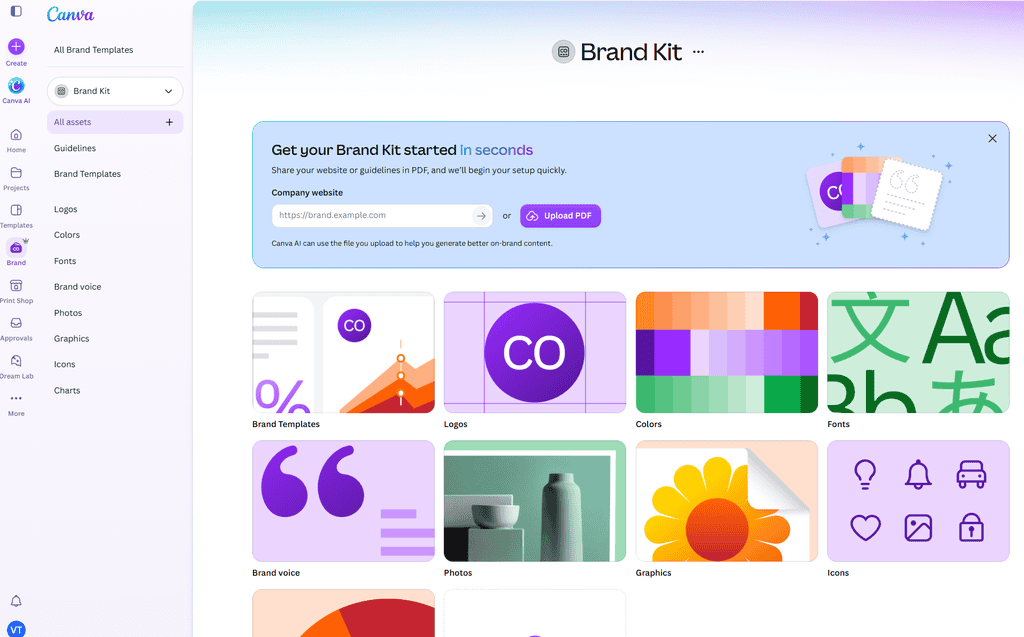
The Brand Kit is probably the feature freelancers feel first. You can save brand colors, fonts, logos, and visual elements, then apply them to new designs quickly. For a social media client with strict brand guidelines, that can shave real time off every content batch while making your work look more consistent.
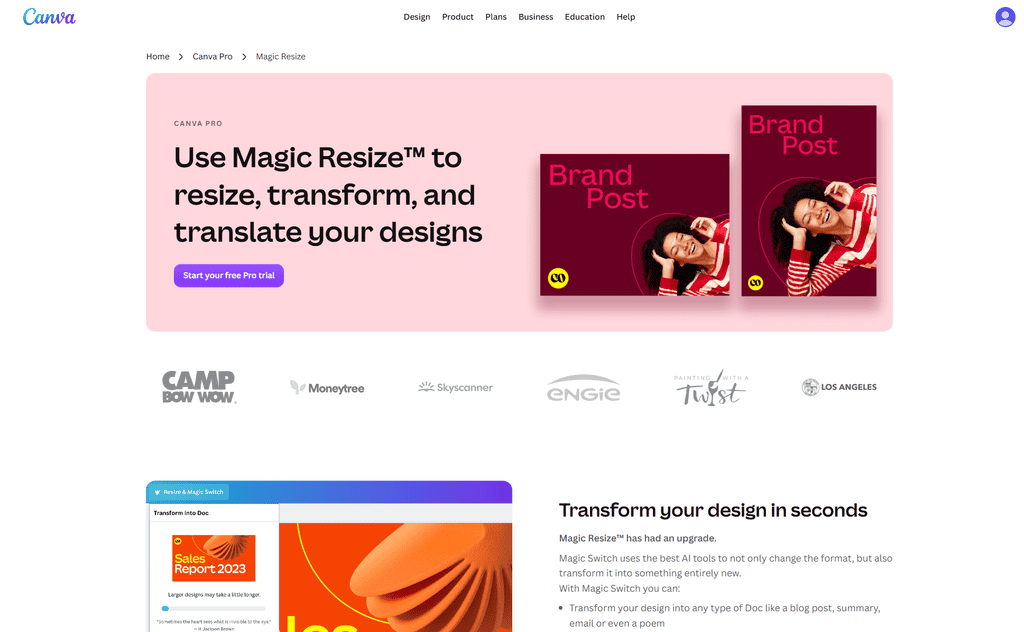
Magic Resize lets you turn one design into multiple formats, such as converting a square post into a Story, Pinterest pin, LinkedIn graphic, or presentation slide. It does not always create a perfect finished layout. You still need to check text placement, image crop, and visual hierarchy. But it removes the blank-canvas problem and gives you a strong starting point.
Background Remover is another practical tool. It is helpful for product images, personal brand graphics, event posters, and basic ad creative. The results are often good enough for web and social use, though hair, transparent products, and detailed edges may require touch-ups elsewhere.
Canva also includes AI-assisted features for writing, image generation, editing, and design suggestions. Treat these as speed tools, not autopilot. A client is paying for your judgment: the message, the offer angle, the audience fit, and the final quality check.
Pricing and the freelancer math
Canva’s pricing can vary by country, currency, tax, promotions, and plan changes. In the United States, Canva Pro has commonly been listed around $18 per month or $144 per year for one person. Check the current plan details before subscribing, particularly if you are working from Malaysia, Singapore, or serving international clients.
| Plan | Typical use case | Freelancer verdict |
| Canva Free | Learning Canva or occasional one-off graphics | Start here if you have no design offer yet |
| Canva Pro | One freelancer managing their own client projects | Usually the best value for active client work |
| Canva Teams | Agencies or teams needing shared assets and controls | Consider it when collaboration is genuinely recurring |
At roughly $144 per year, the annual Pro plan can pay for itself with one small project. A $180 lead magnet package, a month of social media graphics at $350, or two presentation refreshes can cover the software cost. If lead magnets are part of your offer, Designrr can turn a client’s blog posts or documents into a polished PDF guide that you then style to match their brand in Canva. The better question is whether you have a workflow that turns Canva into billable output.
Do not subscribe just because the templates look nice. Subscribe when you can connect the tool to an offer. For example, a virtual assistant could add “branded weekly social graphics” to a support package. A coach could sell webinar slide design. A marketing freelancer could include six ad variations in a campaign setup package. That is the real test running through this Canva Pro freelancer review: the subscription earns its place only when it is tied to something you can sell.
| Market | Canva Free | Canva Pro | Canva Business |
|---|---|---|---|
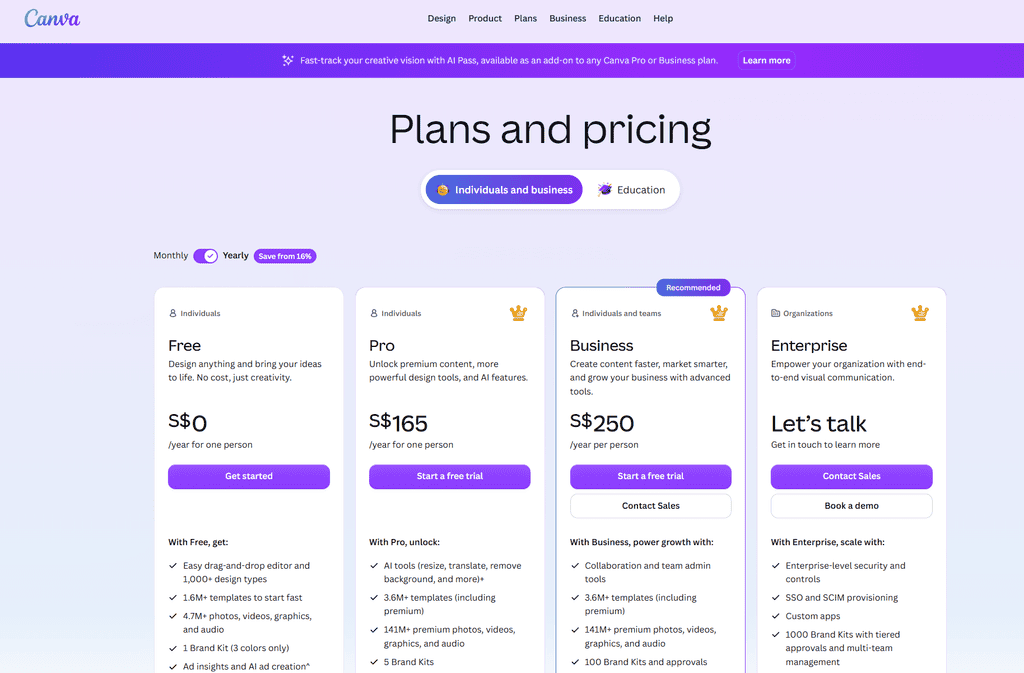
| Malaysia | RM0/year | RM250/year | RM420/year/person |
| Singapore | S$0/year | S$165/year | S$250/year/person |
| United States | USD0/year | USD144/year | USD250/year/person |
Prices shown are annual prices displayed by Canva for the respective markets at the time of checking. Canva pricing can vary by country, currency, tax, promotions, and plan changes, so check the current pricing page before subscribing
Where Canva Pro can improve your client workflow
The most profitable Canva setup is organized around repeatability. Create a separate folder for each client, add their approved logos and brand details, and build a small template library for the assets they request most often. Keeping each client’s brief, approvals, and posting calendar together in a Notion workspace pairs neatly with those Canva folders, so nothing gets lost between the design and the delivery. That could include quote posts, carousel covers, testimonial graphics, sales announcements, Story frames, and simple video thumbnails.
Before designing, get approval on a mini visual direction. Ask the client for their audience, offer, preferred examples, banned colors or imagery, and required calls to action. Canva makes production fast, which means it can also make it very easy to produce the wrong thing fast. A 15-minute approval step can prevent rounds of revisions later.
For recurring content, make the first batch your foundation. Build layouts that are flexible enough to refresh each month, then change the copy, imagery, and campaign angle rather than reinventing every graphic. This gives clients consistency and protects your delivery time.
Canva’s commenting and sharing tools can also simplify approval, but define your handoff process upfront. Decide whether the client receives editable templates, final exports only, or both. Editable files add value, yet they can create scope issues if a client starts changing work and expects you to repair it for free.
Licensing: what freelancers should understand
Premium Canva content is generally licensed for use within your Canva designs, including commercial client work, subject to Canva’s current license terms. That does not mean you can download a stock photo or graphic and sell it as a standalone asset, claim exclusive ownership of it, or turn it into a logo trademarked by your client.
This is a major consideration for logo design. Canva elements are not the right foundation for a distinctive, ownable brand mark. If a client needs a serious logo system, use original work or appropriately licensed custom assets, and make the ownership terms clear in your agreement.
Also pay attention when handing over templates. A client may need their own Canva account, and access to certain Pro elements can depend on their subscription status. Explain this before the project begins so there are no surprises after payment.
The limitations worth knowing before you buy
Canva Pro makes design accessible, but accessibility is not the same as strategy. A beautiful carousel with weak messaging will not generate leads. A trendy template will not fix a vague offer. The freelancers who earn more using Canva pair fast production with copywriting, content planning, and a solid understanding of what the client wants the asset to achieve.
It can also create sameness. If you select a template, swap the words, and send it out, clients may recognize the look from a dozen other accounts. Build in customization: adjust spacing, typography, image treatment, color balance, and content structure. Your goal is not to hide that you use Canva. Your goal is to make the final work feel intentional and on-brand.
Finally, Canva is internet-based. Keep backups of important exports and source materials, especially before client launches. A simple file naming system and a folder outside Canva will make your business easier to manage as your client list grows.
Is Canva Pro the right move for your freelance business?
If you are building a service around regular marketing assets, Canva Pro is one of the easiest subscriptions to justify. It helps you deliver with more consistency, package visual support into your offers, and say yes to work that might otherwise take too long.
If you only open Canva once every few months, stay on the free version until a paid project gives the upgrade a job to do. Tools do not create a dream income on their own. A clear offer, confident pricing, and reliable client results do. If you take one thing from this Canva Pro freelancer review, let it be this: start with a paid project, then upgrade with confidence. Canva Pro simply gives you more room to deliver those results well.