This post may contain affiliate links. If you use these links to buy something we may earn a commission at no extra cost to you. Thank you for your support!
A practical guide for freelancers, solopreneurs, and small teams in Southeast Asia and beyond.
If your projects live in one app, your notes in another, and your client deadlines in your head — the ClickUp vs Notion question is not random at all. It usually shows up right when your freelance business is growing faster than your current system can handle.
Both tools are popular. Both are genuinely good. And both will let you organize work, manage deliverables, and stop losing things in your browser tabs. But they are not interchangeable, and picking the wrong one will cost you hours of setup that never quite pays off.
One is built like an operations hub for execution. The other is built like a flexible workspace where you shape the system around how your brain works. For freelancers, that difference matters far more than any feature list comparison.
This guide breaks it all down — features, pricing, use cases, pros and cons, and the honest answer to which tool is the right project management tool for your specific situation.
ClickUp vs Notion: The Real Difference
Before we get into feature checklists, here is the simplest way to understand it.
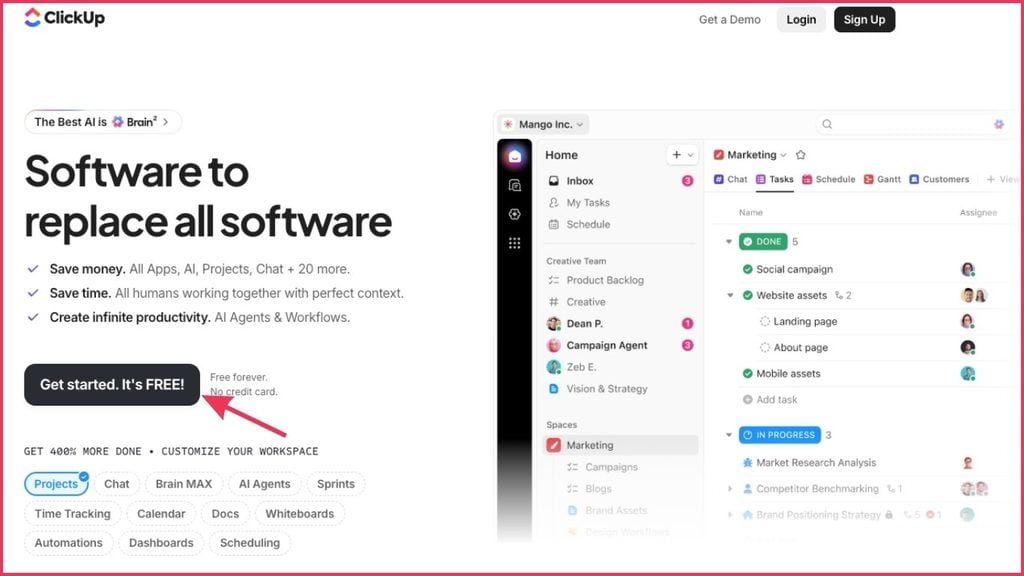
ClickUp is a project management app built around tasks, deadlines, and execution. If your day revolves around deliverables, recurring tasks, client approvals, team coordination, or content calendars, ClickUp has more of that structure ready to use without heavy customization.
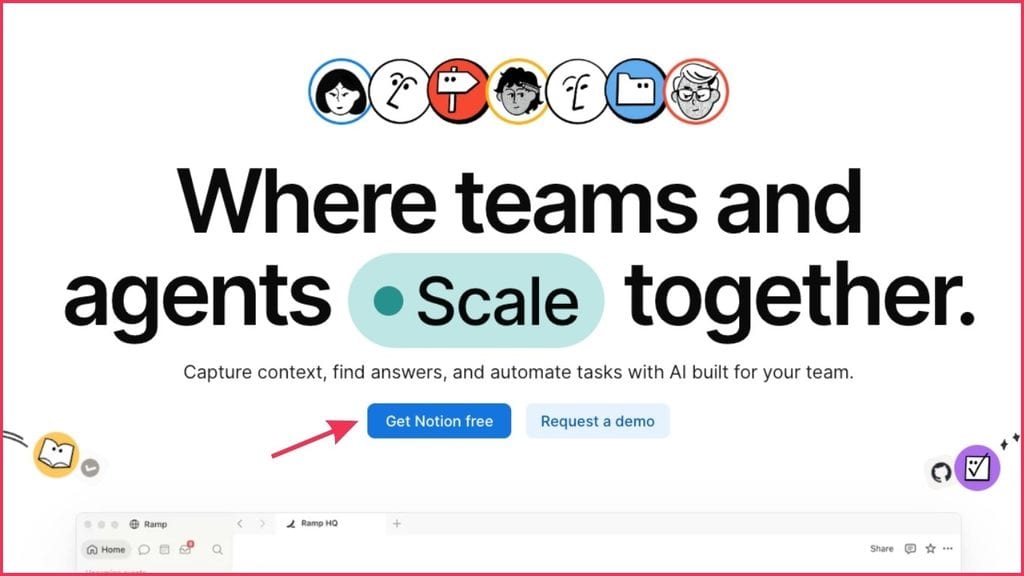
Notion is a flexible workspace built around information. If your work involves research, documentation, frameworks, strategy, meeting notes, and knowledge management, Notion gives you the freedom to build your system exactly how you want it.
The Notion overlap with ClickUp is real — both can do tasks, both can do docs. But their core philosophies are different, and that shows up in daily use.
The better question is not which tool is better overall. It is which tool fits the way you actually deliver work and make money.
Side-by-Side: ClickUp vs Notion Key Features
| Feature | ClickUp | Notion |
| Best for | Task execution, retainer work, team coordination | Knowledge management, research, documentation |
| Free plan | Unlimited tasks, 100MB storage, basic features | Unlimited pages, basic AI, 10MB uploads |
| Kanban boards | Yes — built-in, robust | Yes — via database views |
| Gantt charts | Yes — native (paid plans) | Limited — via third-party integrations |
| Calendar view | Yes — native | Yes — via database |
| List view | Yes — native | Yes — via database |
| Time tracking | Built-in (native time tracking) | Needs third-party tools |
| AI features | ClickUp Brain — task summaries, writing, automation | Notion AI — writing, Q&A, database summarise |
| Google Drive integration | Yes — native | Yes — native |
| Google Calendar integration | Yes — native | Yes — via third-party |
| Google Docs integration | Yes — embed and link | Partial |
| Custom fields | Extensive — 15+ field types | Flexible — multiple property types |
| Workload views | Yes — visual team workload | No |
| Knowledge base | ClickUp Docs — functional | Notion’s core strength |
| Notion workspace feel | No | Yes — fully flexible workspace |
| Real-time collaboration | Yes | Yes |
| Offline mode | Limited | Yes |
| Mobile app | Strong | Good |
| Customer support | Chat, email (priority on paid) | Email (priority on paid) |
| Steep learning curve | Moderate — lots of features | Low initially, builds complexity |
| User interface | Feature-dense, powerful | Clean, minimal, document-feel |
When ClickUp Makes More Sense
ClickUp is the better choice when your business runs on repeatable deliverables and consistent client output.
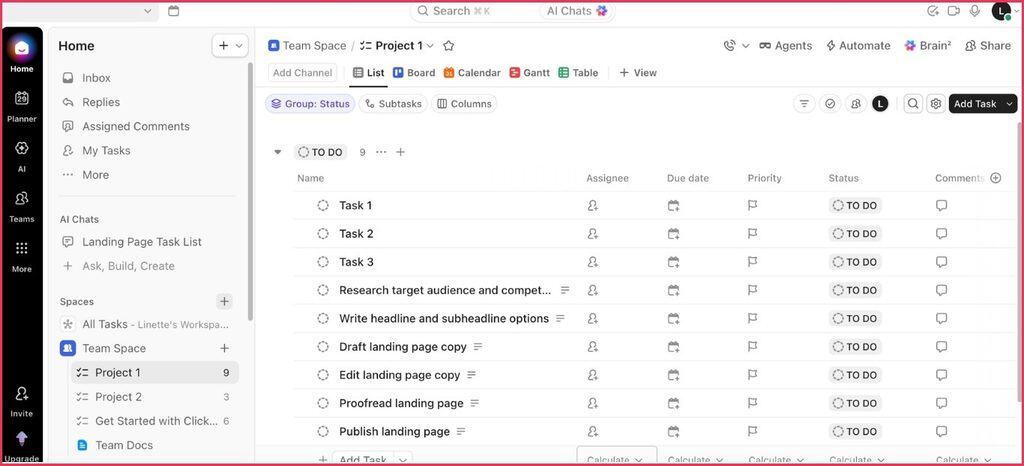
Think: social media managers, virtual assistants, ad managers, SEO freelancers, email marketers, designers managing revision stages, or agency owners juggling multiple active retainers.
ClickUp is built for execution. You get tasks, subtasks, due dates, statuses, priorities, automations, built-in time tracking, dashboards, and recurring workflows without having to engineer everything from scratch. That matters a lot when your income depends on consistent output.
Here is a concrete example. A freelance social media manager with five clients might have a monthly workflow that includes content planning, caption writing, design review, scheduling, and analytics reporting.
In ClickUp, that process maps naturally. Create a template once, duplicate it per client, and keep everything moving with Kanban boards and calendar views. For complex projects with multiple team members and moving parts, the Gantt charts and workload views become genuinely useful.
ClickUp also wins on collaboration. If you run a small team, outsource editing, or need clients to review deliverables, ClickUp has the project management DNA built in. Workload views let you see who is overloaded before something falls through.
The downside is real though. ClickUp can feel like a lot if you are a solo user with simple offers. There is a steeper learning curve, and if you prefer clean minimal tools, the interface can feel busy. ClickUp’s features are extensive — which is both the selling point and the friction.
ClickUp is a strong fit if you:
- Manage multiple clients with recurring monthly deliverables
- Need Gantt charts, workload views, and team visibility
- Want native time tracking without adding third-party tools
- Have a small team that needs real-time collaboration on tasks
- Run repetitive tasks that benefit from automation
- Are a project manager scaling toward a larger organization
When Notion Makes More Sense
Notion shines when your business runs on information first. It is the better pick for copywriters, consultants, strategists, coaches, web designers in discovery-heavy projects, course creators, and freelancers who manage a lot of knowledge work.
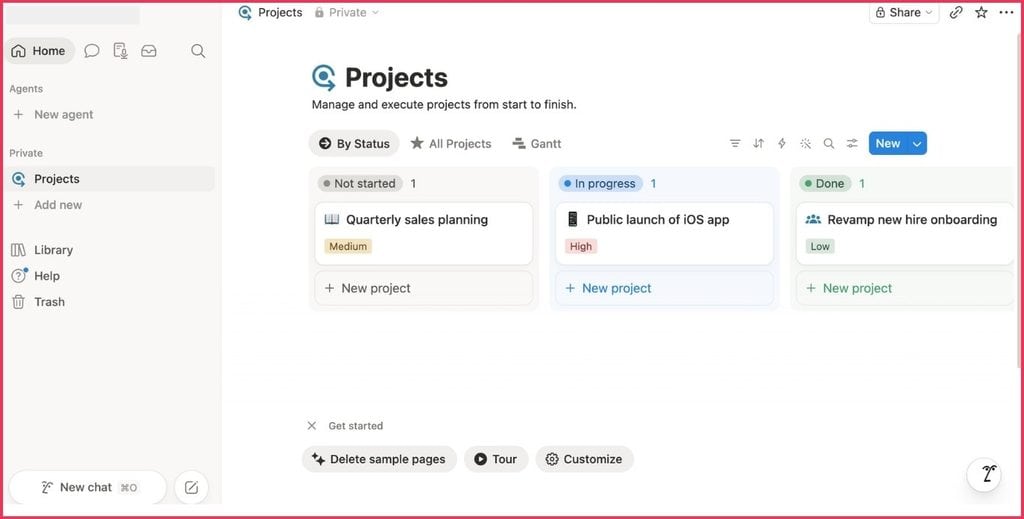
What makes Notion appealing is the flexibility. You can build a client portal, CRM, content planner, SOP library, proposal tracker, meeting notes database, and personal dashboard in one single platform. It feels less like using software and more like building your own internal operating system.
For a copywriter, Notion can hold brand voice notes, customer research, messaging angles, draft outlines, revision feedback, and a content calendar — all connected in one Notion workspace. That is genuinely useful if your brain likes context and connections.
Notion AI has also gotten stronger. Notion users now have access to AI features that help with writing, research, meeting notes summarization, and Q&A within their workspace. For content creators and knowledge workers, that is a real advantage.
Notion is also excellent for freelancers who sell strategy and thinking, not just execution. If your deliverables are frameworks, audits, recommendations, and documentation, Notion supports that beautifully with unlimited pages and flexible databases.
But Notion has real weaknesses. It is not the right project management tool if you need strict task management out of the box. Yes, you can create task databases and Kanban board views. But it often takes more setup to make Notion’s database system feel as reliable as ClickUp for task execution. For some users, building that system is fun. For others, it becomes an unfinished admin project.
The blank page problem is real. Notion gives you total freedom, which means new users sometimes spend more time building the system than using it.
Notion is a strong fit if you:
- Do knowledge-heavy work: research, strategy, documentation, frameworks
- Want one place to think, plan, write, and organize — an all-in-one workspace
- Create content and need a content planning system with context
- Are a solo user who enjoys building and customizing your workspace
- Need a proper knowledge base that your team can reference
- Prefer a clean, minimal user-friendly interface over a feature-dense one
ClickUp vs Notion: Key Features Breakdown
| Feature category | ClickUp’s features | Notion features |
| Task management | Native task management, subtasks, dependencies, to-do lists, recurring tasks | Database-based task management, to-do lists, limited task dependencies |
| Views | List view, Kanban boards, Gantt charts, calendar view, workload views, timeline | List view, Kanban boards, calendar view, gallery, timeline (no native Gantt) |
| AI features | ClickUp Brain — AI task summaries, auto-fill, writing assistant | Notion AI — writing, Q&A, database summarise, meeting notes |
| Docs | ClickUp Docs — embedded in tasks, collaborative | Notion page — core product, extremely powerful |
| Time tracking | Built-in time tracking (native time) | Needs third-party integration |
| Automations | Advanced — 100+ automation triggers | Basic — limited native, needs Zapier |
| Integrations | 1,000+ native integrations, Google Drive, Slack, Google Calendar | Fewer native integrations, relies on third-party tools |
| Custom fields | 15+ custom field types per task | Multiple property types in databases |
| AI writing | ClickUp Brain writing assistant | Notion AI writing (more mature) |
| Knowledge base | ClickUp Docs (functional) | Notion workspace (excellent, core use case) |
ClickUp vs Notion Pricing: What You Actually Pay
Both tools have a free plan, and both deliver real value before you ever pay a cent. For newer freelancers, either free version can work without immediate investment.
| Plan | ClickUp Price | ClickUp Includes | Notion Price | Notion Includes |
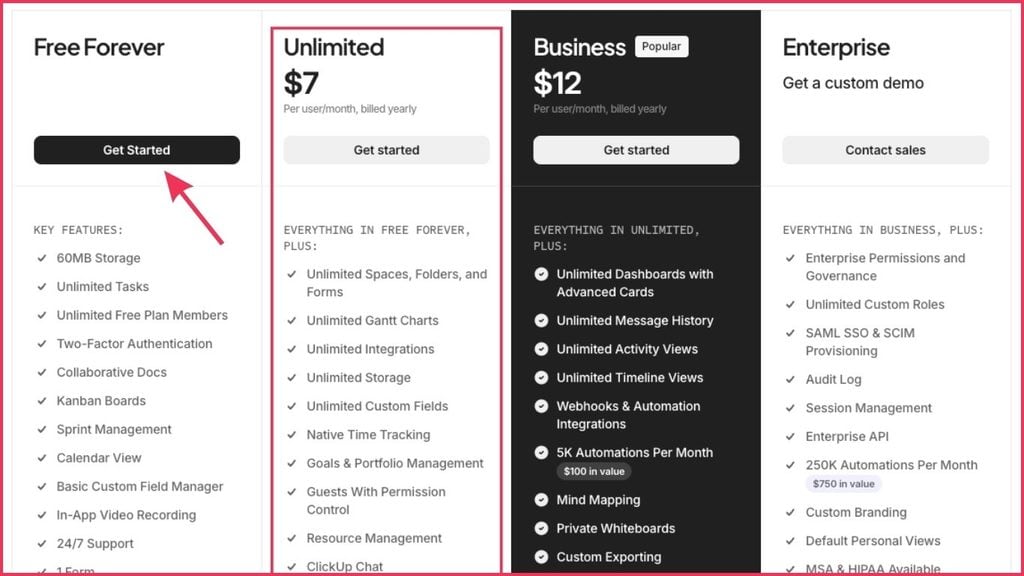
| Free | Free forever | Unlimited tasks, 100MB, basic dashboards | Free forever | Unlimited pages, basic AI, 10MB uploads |
| Basic / Plus | $7/user/month | Unlimited storage, integrations, Gantt, dashboards | $10/user/month | Unlimited file uploads, version history, invite guests |
| Business / Business | $12/user/month | Workload views, custom exporting, advanced automation | $20/user/month | Unlimited blocks for guests, advanced analytics |
| Enterprise | Custom pricing | SAML SSO, advanced security, dedicated support | Custom pricing | Advanced security, audit log, custom contracts |
ClickUp pricing is generally more generous on project management features at lower tiers. If you need task tracking, recurring work, and reporting, you get real structure fast.
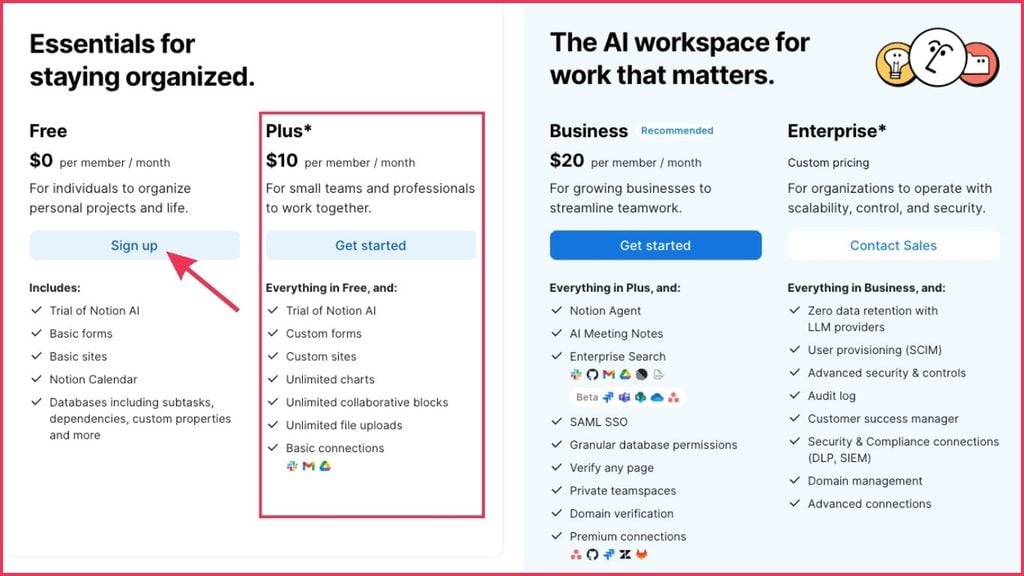
Notion pricing makes sense if you want a workspace that combines docs, databases, and planning in one place.
The real cost is not just the subscription. It is setup time, maintenance time, and whether the system actually saves you hours or creates more admin. A cheaper tool you never fully use is not the cheaper option.
Neither tool has a clear winner on price alone — it depends on what you need from it.
ClickUp vs Notion: Pros and Cons
| ClickUp | Notion | |
| Pros | Ready-made structure for task managementPowerful Gantt charts and workload viewsNative time trackingStrong automationsClickUp Brain for AI task summariesBetter for team collaboration and small teamsMore project management features out of the box | Extremely flexible and customizableExcellent knowledge base and documentationNotion AI for writing and researchClean, minimal user interfaceBetter for solo users and content creatorsUnlimited pages on free planGreat for personal use and personal projects |
| Cons | Steeper learning curve for new usersCan feel overwhelming for simple needsFree plan has storage limitsMobile UX less polished than desktop | Weaker task management by defaultNo native Gantt chartsNo built-in time trackingCan become a beautiful ghost town if not maintainedBlank page syndrome for non-builders |
Which Tool is Easier to Use?
This depends on what easy means to you.
ClickUp is easier if you want a ready-made operating system for work. You open it, create tasks, assign dates, and start moving. There is a steeper learning curve to unlock the advanced features, but the basic task management logic is clear from day one: work gets captured, tracked, and completed. The user interface is dense but logical.
Notion is easier if you think in pages, documents, and custom layouts. It is friendlier for new users who want to shape their own workspace and enjoy spending time building templates. If you like organizing information your way, the intuitive design feels natural. But if you open a blank page and freeze, that is your signal.
If you download templates and then tweak everything for three hours because it is not quite right, you will enjoy Notion. If you want a system that tells you what needs attention today without any setup, ClickUp is the faster win.
For ease of use with a team, ClickUp tends to win. New users can be onboarded with minimal explanation — tasks are tasks, and the logic is universal. Notion’s flexibility can create confusion about where things go and how the workspace is organized.
Which Tool Fits Your Freelance Business Model?
Here is the breakdown by use case:
| Your situation | Better choice | Why |
| Social media manager with multiple clients | ClickUp | Repeatable tasks, content calendars, team coordination |
| Copywriter managing research and docs | Notion | Knowledge management, brand voice notes, client portals |
| Virtual assistant handling client admin | ClickUp | Task management, deadlines, recurring tasks |
| Coach or consultant selling strategy | Notion | Documentation, frameworks, flexible workspace |
| Agency owner scaling a team | ClickUp | Workload views, team visibility, complex projects |
| Content creator building a knowledge base | Notion | Unlimited pages, content planning, notion workspace |
| Freelancer with 3+ active retainers | ClickUp | Task boards, Gantt charts, client tracking |
| Solo user doing personal projects | Notion | Clean interface, flexibility, personal use |
| Project manager running large teams | ClickUp | Advanced features, team management, reporting |
| Someone who loves building systems | Either — start with Notion, add ClickUp when you hire | Notion for knowledge, ClickUp for execution |
Can You Use Both ClickUp and Notion?
Yes. Plenty of freelancers and small teams do, and it works well when each tool has a clear job.
The classic hybrid setup: use Notion for knowledge and ClickUp for execution. Your SOPs, client research, meeting notes, offer docs, content ideas, and brand assets live in Notion. Your deadlines, deliverables, active projects, and recurring tasks live in ClickUp.
That setup makes sense once your business is established and you have the bandwidth to maintain both. But if you are still cleaning up your operations, using both tools can create confusion fast. Two project management tools only help when each one has a clear purpose and the discipline to put things in the right place.
If you constantly wonder where something should go, start with one tool first. Get that system working before adding a second platform.
ClickUp Brain vs Notion AI: Which AI Features Win?
Both tools have rolled out AI features, and both are worth knowing about if AI-assisted work is part of your workflow.
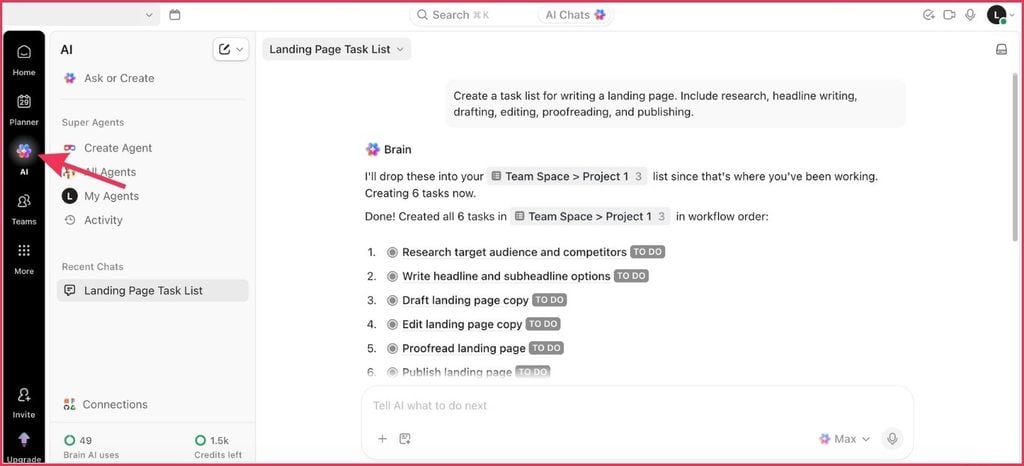
ClickUp Brain focuses on AI assistance within your task management system. It can summarize tasks, generate subtasks, write updates, fill in custom fields automatically, and answer questions about your projects. For task-heavy users, this is genuinely useful.
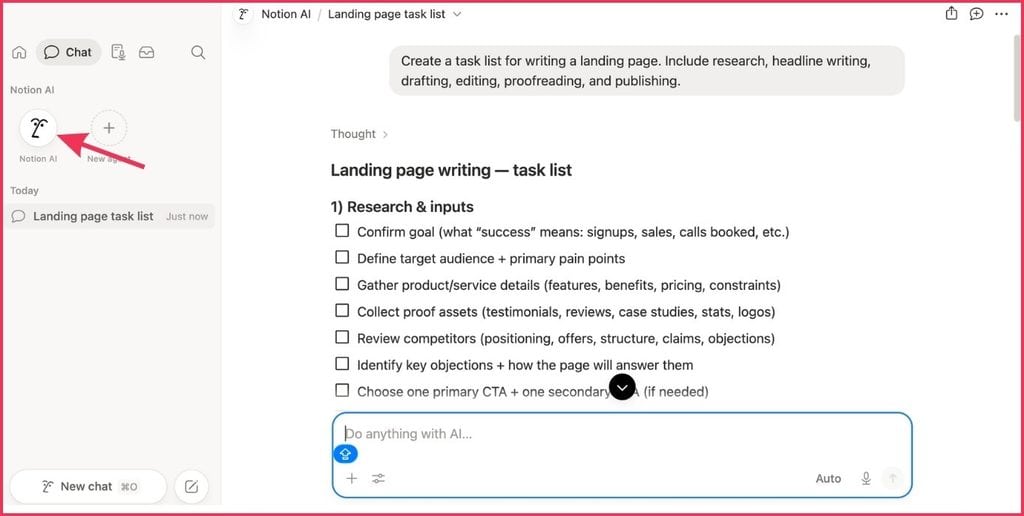
Notion AI is more mature as a writing and research tool. It can help you draft Notion pages, summarize meeting notes, answer questions using your Notion workspace as context, and assist with content creation. For knowledge workers and content creators, Notion AI has the edge.
Neither tool’s AI replaces a dedicated writing tool or a proper AI workflow, but both reduce friction in their core use case. Pick the AI that supports the type of work you actually do most.
ClickUp vs Notion for Small Teams and Large Organizations
For small teams (2-10 people), both tools can work. ClickUp has more project management infrastructure for team coordination, task assignment, and workload visibility. Notion works well for small teams that operate primarily from shared documents and knowledge bases.
For large organizations and enterprise plan users, ClickUp tends to age better operationally. As more team members, complex projects, and moving parts enter the picture, stronger task management becomes more critical. ClickUp’s enterprise plan includes advanced security, SAML SSO, and dedicated customer support.
Notion also has an enterprise plan with security and compliance features, but the flexibility that makes Notion great for individuals can create governance headaches in large organizations without proper structure.
So, ClickUp or Notion — Which is the Right Choice?
Use this simple filter:
| If your main problem is… | Then choose… |
| Keeping projects on track and hitting deadlines | ClickUp — stronger task management, better for execution-driven work |
| Scattered information, disconnected ideas, no knowledge base | Notion — flexible workspace, better for knowledge-heavy work |
| Managing a growing team with multiple active client projects | ClickUp — workload views, Gantt charts, team coordination |
| Organizing research, frameworks, and documentation | Notion — knowledge management, unlimited pages, clean interface |
| Wanting one platform for everything | Try ClickUp first — it covers more ground in a single platform for active work |
There is no universal clear winner in the ClickUp vs Notion debate. The right tool is not the one with the longest list of functions. It is the one that helps you deliver great work, protect your time, and grow without spending half your day managing your system instead of using it.
Choose ClickUp if your freelance business needs stronger operations. Tasks, deadlines, handoffs, and repeatable workflows are where it earns its keep.
Choose Notion if your freelance business needs a smarter knowledge base. Research-heavy, documentation-heavy, or highly customized work is where Notion shines.
If you are still unsure, ask yourself what breaks down first when work gets busy. If it is execution, choose ClickUp. If it is organization and clarity, choose Notion. That answer will usually point you in the right direction faster than comparing another 20 features.
Looking to learn more about building a freelance business that runs on solid systems?
Check out more resources on SGA for freelancers scaling beyond just their tools.